
How to Use IPTV in Australia
Everything you need to know about internet TV Down Under — what it is, what’s legal, and how to get started today.
What Is IPTV?
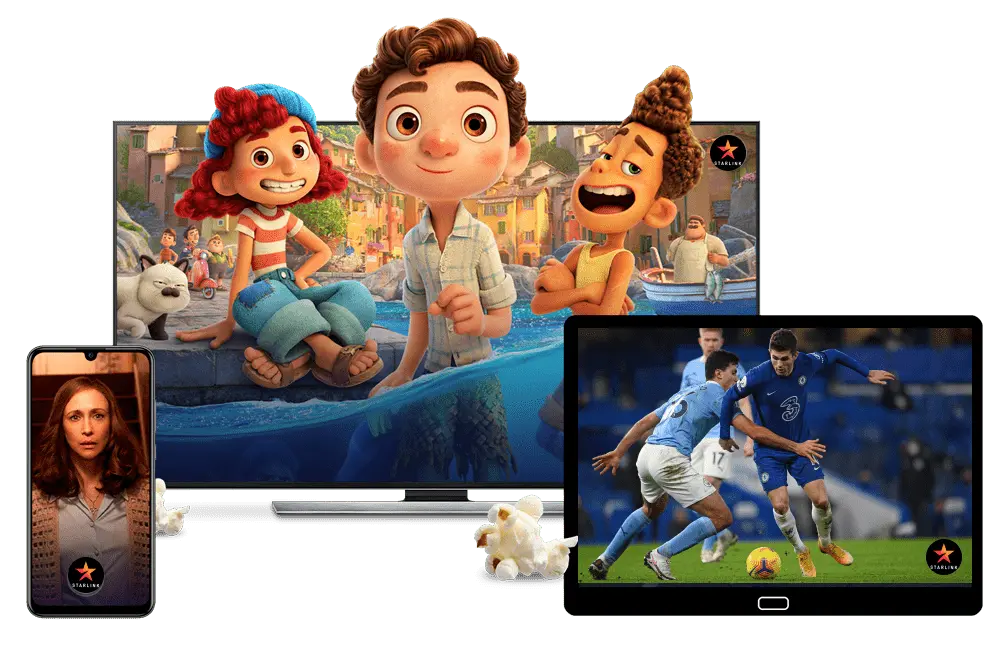
IPTV stands for Internet Protocol Television — a way of delivering TV content over your internet connection instead of through a cable wire or satellite dish. Rather than receiving a broadcast signal, your device requests a stream from a server, which plays directly on your screen in real time.
Think of it like YouTube or Netflix, but for live TV channels, sports, and catch-up content. As long as you have a stable internet connection, you can watch on your smart TV, phone, tablet, laptop, or streaming stick — no technician visit required.
IPTV comes in three main forms:
- Live TV — real-time streaming of channels just like traditional broadcast
- Video on Demand (VOD) — a library of movies and shows you can watch anytime
- Time-shifted TV — catch-up viewing of content that already aired (sometimes called replay or start-over TV)
Is IPTV Legal in Australia?
This is the most important question to answer before you sign up for anything — and the answer is: it depends entirely on the service provider.
The technology itself is completely legal. What the law cares about is whether the provider has the rights to stream the content they’re offering you. Australia’s Copyright Act 1968 — updated with amendments in 2024 — makes it an infringement to receive or display copyrighted content without the rights holder’s permission. The Australian Communications and Media Authority (ACMA) is the regulator that enforces this, and it actively blocks and investigates unlicensed streaming operations.
Licensed IPTV services — like Kayo Sports, Binge, Stan, Fetch TV, and the free-to-air catch-up apps — operate with full content agreements and are completely legal to subscribe to and use. Unlicensed “black-box” services that offer hundreds of premium channels for suspiciously low prices (think $10–$15/month for “everything”) are operating outside the law, and using them exposes you to real risks: copyright notices from your ISP, potential fines, and malware or data theft from poorly secured apps.
A VPN does not make an illegal service legal. It may hide your IP address, but the ACMA can still subpoena VPN providers for traffic records.
How to spot a legitimate service: look for an Australian Business Number (ABN) on the website, transparent licensing information, pricing that reflects what content actually costs to license, and apps available on the official Apple App Store or Google Play Store.
The Best Legal IPTV Services in Australia (2026)
Here is a breakdown of the main legitimate options available to Australians right now, grouped by what they do best.
Sports: Kayo Sports
Kayo is the go-to platform for Australian sports fans. It carries over 50 sports including AFL, NRL, cricket, F1, NBA, NFL, and international football. As of February 2026, pricing sits at AU$29.99/month for the Standard plan (one HD stream) and AU$45.99/month for Premium (4K on two devices simultaneously). There is a seven-day free trial for new subscribers.
Standout features include SplitView, which lets you watch up to four streams at once, and Kayo Minis — professionally edited 15–30 minute highlights of every match. The platform now supports Dolby Atmos audio and 60fps 4K on selected events. Kayo is now owned by DAZN following their acquisition of Foxtel in 2024, and a new AI-powered platform redesign launched in early 2026.
Entertainment: Binge
Binge is the on-demand entertainment arm of the same Foxtel/DAZN group. It carries premium drama, movies, and reality TV, and has been expanding its sports integration with Kayo — free-to-air NRL and AFL simulcasts are available on Binge without ad breaks during play. Plans start at AU$10/month (Basic, ad-supported) up to AU$22/month (Premium). A seven-day free trial is available.
Local Drama and Sport: Stan
Stan is owned by Nine Entertainment and is one of Australia’s largest homegrown streaming services. It carries a strong library of Australian originals (Black Snow, Drag Race Down Under), US and UK content, and an optional Stan Sport add-on at AU$20/month that includes the Australian Open, Wimbledon, Super Rugby Pacific, and — as of 2026 — the English Premier League. Base Stan plans start from around AU$12/month.
All-in-One: Fetch TV
Fetch TV is a set-top box service that combines free-to-air channels, catch-up TV, and access to most major streaming apps (Netflix, Disney+, Stan, Prime Video, Binge) in a single interface. It is offered through many NBN providers — including Optus, iiNet, and Internode — often bundled with your broadband plan. It is particularly good if you want one remote control for everything.
Free Options: ABC iview, SBS On Demand, 9Now, 7plus, 10 play
All five major Australian free-to-air broadcasters offer completely free, fully legal IPTV services through their catch-up apps. These are available on smart TVs, phones, tablets, and streaming sticks with no subscription required. Between them they cover news, documentaries, drama, comedy, and some live sport. ABC iview and SBS On Demand are particularly strong for international and arts content.
What Internet Speed Do You Need?
Your NBN connection speed matters a lot for IPTV. Here are the minimum and recommended speeds:
| Streaming Quality | Minimum Speed | Recommended Speed |
|---|---|---|
| Standard Definition (SD) | 5 Mbps | 10 Mbps |
| High Definition (HD) | 15 Mbps | 25 Mbps |
| 4K / Ultra HD | 25 Mbps | 50+ Mbps |
| Multiple streams at once | 50 Mbps | 100 Mbps |
For most households on NBN 50 or NBN 100 plans, you will have no trouble streaming HD content on multiple devices. If you are on a slower NBN 25 connection or are in a regional area with variable speeds, you may occasionally experience buffering during peak evening hours (7–9pm AEST is the busiest period on Australian networks).
Tip: Wherever possible, connect your streaming device to your router with an Ethernet cable rather than Wi-Fi. A wired connection typically reduces latency by 40–60% and eliminates the interference issues that can cause buffering mid-match.
What Devices Can You Use?
Almost any screen you own will work with IPTV in Australia. Here are the most common setups:
Smart TVs — most modern Samsung, LG, Hisense, and Sony TVs have Kayo, Binge, Stan, and the free-to-air apps built in or available through their app stores. This is the simplest option for most households.
Amazon Fire TV Stick — a popular and affordable option (around AU$60–$80). Plug it into any TV’s HDMI port and you get access to all major Australian streaming apps. Works great with voice search via Alexa.
Apple TV 4K — the premium option. Excellent for households already in the Apple ecosystem. Supports 4K HDR and Dolby Atmos. Kayo’s best visual quality is available here.
Chromecast with Google TV — cast from your phone or use the standalone interface. Budget-friendly at around AU$99.
Android TV boxes — devices like the Nvidia Shield or various generic Android boxes allow access to app stores and more advanced IPTV app configurations like TiviMate for tech-savvy users.
Smartphones and tablets — all major services have iOS and Android apps. Useful for watching on the go, in bed, or during commutes.
Laptops and computers — all services are accessible through a web browser with no extra hardware needed.
How to Set Up IPTV in Australia: Step by Step
Getting started is straightforward. Here is the general process regardless of which legal service you choose.
Step 1 — Check your internet speed. Run a speed test at fast.com or speedtest.net. Make sure you are getting at least 25 Mbps for reliable HD streaming.
Step 2 — Choose your service. Based on what matters most to you: sports (Kayo), entertainment (Binge or Stan), all-in-one hardware (Fetch TV), or free catch-up (iview, SBS, 9Now, 7plus, 10 play). Most services offer a free trial — use it before committing.
Step 3 — Create an account. Go to the provider’s official website or download their app from the App Store or Google Play. Sign up with your email and payment details.
Step 4 — Download the app on your device. If you have a smart TV, look for the app in your TV’s app store. If you are using a Fire Stick or Apple TV, find it in their respective stores. For phones and tablets, use the official app stores only.
Step 5 — Log in and start watching. Once your account is active and the app is installed, log in and explore. Set up your preferences, favourite teams or shows, and — on services like Kayo — configure the Electronic Program Guide (EPG) so you can see what is coming up.
Step 6 — Optimise your setup. If you notice any buffering: try switching from Wi-Fi to Ethernet, lowering the stream quality one step, restarting your router, or clearing the app cache. Buffering at peak times is often an NBN congestion issue rather than the streaming service itself.
Australian Sports on IPTV: Who Has What in 2026
Sport is the biggest driver of IPTV adoption in Australia. Here is a quick reference for which platform carries the major competitions:
| Sport / Competition | Platform |
|---|---|
| AFL (all games) | Kayo Sports |
| NRL (all games) | Kayo Sports, some on Binge & free-to-air |
| Cricket (Tests, BBL, international) | Kayo Sports |
| Formula 1 | Kayo Sports |
| English Premier League | Stan Sport |
| Australian Open, Wimbledon | Stan Sport |
| Super Rugby Pacific | Stan Sport |
| NBA, NFL | Kayo Sports |
| Olympic Winter Games 2026 | Nine (9Now) |
| Free-to-air AFL and NRL | 7plus, 9Now (selected matches) |
Note: sports rights change every year as broadcasters renegotiate deals. Always check the current season’s rights before subscribing.
Tips to Get the Most Out of IPTV in Australia
Rotate services strategically. Around 46% of Australians already do this — subscribe to one service for a specific season (Kayo for AFL), then pause it during the off-season and pick up another. All major services are month-to-month with no lock-in contracts.
Bundle with your telco. Optus customers can receive a discount on Kayo through Optus Subhub. Telstra customers can bundle Kayo onto their bill and access an extended 14-day trial. Check your telco’s streaming perks before paying full retail.
Join a sports club’s digital membership. Some AFL and NRL club digital memberships include a bundled Kayo subscription, and the combined cost can be cheaper than paying for Kayo separately. NRL club memberships in particular tend to offer the best value.
Use the free-to-air apps more. ABC iview, SBS On Demand, 9Now, 7plus, and 10 play are all free and frequently underestimated. Between them they carry a significant amount of quality content at zero cost.
Take advantage of free trials properly. Sign up the week before a major event (a Test series, the AFL finals, the F1 season opener), watch what you came for, and cancel before the trial ends if you do not want to continue. Just set a calendar reminder.
What to Avoid: Red Flags for Illegal IPTV Services
Stay away from any service that matches these warning signs:
- Pricing that seems impossibly cheap — offering thousands of channels for AU$10–$15/month almost certainly means the content is unlicensed
- No ABN, no licensing information, and no clear business identity on the website
- Apps not available in official app stores — requiring you to “sideload” an APK file
- Payment through cryptocurrency or obscure payment processors
- Customer service that vanishes or channels that frequently go offline
- Promises of “no geo-restrictions” on content that clearly belongs to rights-protected broadcasters
The risks of using these services include ISP copyright notices, potential fines under the Copyright Act (civil penalties up to AU$750,000 per infringement in extreme cases), exposure to malware, and simply paying for a service that could disappear overnight taking your money with it.
The Bottom Line
IPTV is now genuinely mainstream in Australia — over 30% of Australian households stream TV over the internet, and the number keeps growing as NBN speeds improve and traditional pay TV becomes harder to justify. The good news is that the legal options are excellent. Whether you want live sport, premium drama, free catch-up, or all of the above, there is a licensed IPTV service that covers it.
The key steps: check your internet speed, pick a service that matches your viewing habits, download the official app, and take the free trial before committing. With a decent NBN connection and the right setup, internet TV in Australia in 2026 is fast, flexible, and far cheaper than the cable bundles of the past.