
Best IPTV Apps for Smart TVs: The Complete 2026 Guide
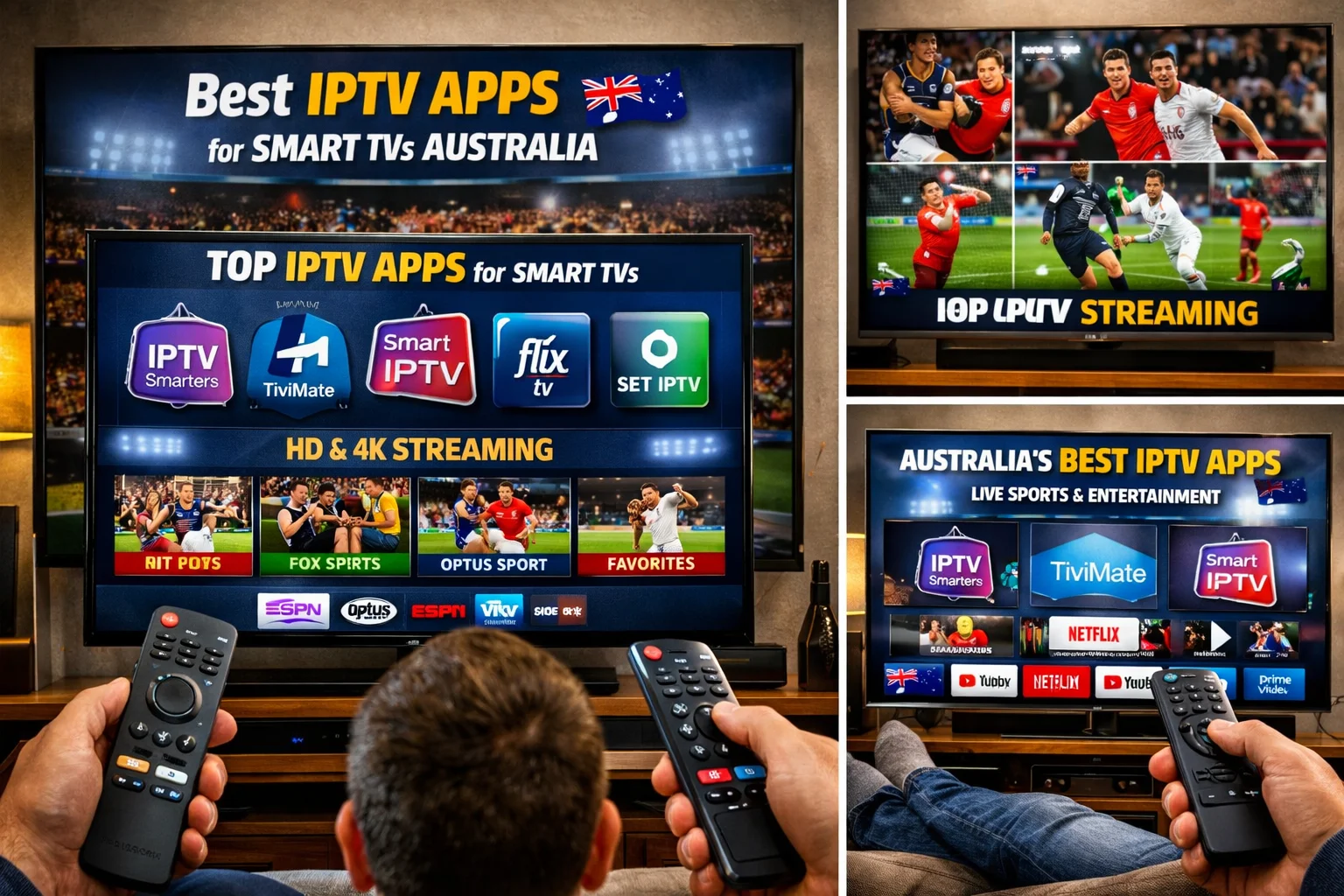
Smart TVs have transformed from simple display screens into fully connected entertainment hubs capable of running powerful applications, streaming content from around the world, and delivering a complete IPTV experience without any additional hardware. But with dozens of IPTV apps available across different smart TV platforms, knowing which one to install on your specific television can be genuinely confusing.
This complete guide covers the best IPTV apps for every major smart TV platform in 2026 — Samsung, LG, Sony, Hisense, TCL, and more — with honest assessments of each app’s strengths, limitations, and ideal use cases, so you can make the right choice for your television and your viewing habits.
Why Your Smart TV Platform Matters
Before diving into specific apps, it is essential to understand that smart TVs do not all run the same operating system. The platform your TV runs determines which apps are available, how they can be installed, and how well they perform. Choosing the wrong app for your platform leads to frustration, while choosing the right one delivers a seamless experience.
The main smart TV platforms in Australia and globally in 2026 are Android TV and Google TV (found on Sony Bravia, Hisense Android TV, TCL Android TV, and Nvidia Shield), Samsung Tizen OS (all Samsung smart TVs), LG webOS (all LG smart TVs), and Amazon Fire TV OS (Amazon Fire TV Edition televisions built with Fire OS). Each platform has its own app ecosystem, its own strengths, and its own limitations when it comes to IPTV.
Android TV and Google TV have the largest and most flexible app ecosystems, with access to the Google Play Store and support for sideloading. Samsung Tizen and LG webOS have more restricted ecosystems with fewer native IPTV options, requiring either specific compatible apps or an external streaming device. Amazon Fire TV Edition televisions work identically to Fire Sticks and support the full range of Fire OS IPTV apps.
Best IPTV Apps for Android TV and Google TV Smart TVs
Android TV and Google TV televisions — including Sony Bravia, Hisense Android TV models, TCL Android TV, Philips Android TV, and devices like the Nvidia Shield connected to any TV — offer the richest IPTV app ecosystem available on any smart TV platform. Every major IPTV player app is available, either through the Google Play Store or via sideloading.
TiviMate — The Best Overall IPTV App for Android TV
TiviMate is the undisputed champion of IPTV apps on Android TV and Google TV platforms. It has earned its reputation through years of consistent development, an exceptional user interface, and a feature set that genuinely exceeds what most users will ever need.
The interface is the first thing that strikes new users. TiviMate presents your channels in a beautifully designed television guide layout that looks as polished and professional as any major pay TV platform. The electronic program guide is rendered in a smooth, responsive grid showing current and upcoming programming across your entire channel list. Navigating with your TV remote feels natural and immediate, with no lag or hesitation even when browsing through thousands of channels.
For Australian viewers, the EPG functionality is particularly valuable. You can see at a glance what is currently airing on Fox Sports, beIN Sports, Sky Sports, and your local free-to-air channels, along with everything scheduled for the rest of the day and the following days. Planning your sports viewing schedule around AFL, NRL, football, Formula 1, and cricket becomes effortless.
TiviMate’s buffer management is the most sophisticated of any IPTV app available. The adjustable buffer size setting — accessible through Settings, Player, Buffer Size — allows you to pre-load up to 30 seconds of video ahead of your current playback position. This reservoir of pre-loaded content absorbs network fluctuations and brief congestion events without any visible impact on playback. For Australian viewers on NBN connections that experience peak hour congestion, this buffer management can be the single most effective fix for buffering issues.
The premium version of TiviMate, available for approximately $7 USD per year, unlocks the full feature set including multiple playlist support for connecting several IPTV subscriptions simultaneously, catch-up TV for watching programmes from the past 24 to 72 hours, recording capability to an external storage device, picture-in-picture mode, parental controls with PIN protection, and an unlimited favourites system for organising your most-watched channels into custom groups.
TiviMate is available on the Google Play Store for Android TV and Google TV devices, making installation as simple as searching for it and clicking install. On older Android TV devices where the Play Store version may be outdated, sideloading the latest APK via a USB drive or file manager ensures you have the current version with all the latest improvements.
Best for: Android TV and Google TV users who want the best possible IPTV experience. The go-to recommendation for Sony Bravia, Hisense Android TV, TCL Android TV, and Nvidia Shield owners.
IPTV Smarters Pro — Best for Families and Multi-Content Users
IPTV Smarters Pro is the second most widely used IPTV app on Android TV platforms and is particularly well suited to households where multiple family members with different preferences share the same television.
The app organises content into three clearly separated sections — Live TV, Movies, and Series — creating an experience that resembles a full streaming platform rather than just a live channel player. For IPTV subscriptions that include extensive VOD libraries alongside live channels, this organisation makes navigating to specific content natural and intuitive. Australian users who want both live NRL and a library of on-demand movies through a single app will find Smarters Pro’s layout immediately comfortable.
Multi-user profile support is IPTV Smarters Pro’s most distinctive feature. Each profile within the app maintains its own favourites list, channel organisation, and parental control settings. For a household with children, parents, and grandparents all using the same smart TV, separate profiles mean each person sees the content they care about without wading through channels irrelevant to them.
The Xtream Codes API integration in Smarters Pro is particularly clean. Logging in with a username, password, and server URL automatically populates the app with live channels, VOD content, and series from your provider, sorted into appropriate categories without any manual configuration. For Australian users whose IPTV provider uses the Xtream Codes system — which is the majority of quality providers — this seamless automatic organisation saves significant setup time.
Performance on Android TV is solid and consistent. Smarters Pro handles HD and 1080p streams reliably, and its playback engine manages most network conditions without significant buffering. The app is available directly from the Google Play Store, requiring no sideloading or technical configuration beyond entering your login credentials.
Best for: Families using a shared Android TV smart TV, users who want an app covering live TV and VOD in a single interface, and anyone who prefers Appstore installation without sideloading.
GSE Smart IPTV — Best for Technical Users on Android TV
GSE Smart IPTV is the specialist’s choice on Android TV platforms, offering a depth of technical configuration that dedicated power users value highly despite its less polished visual presentation compared to TiviMate and Smarters Pro.
The defining capability of GSE is external player support. Rather than being limited to its own built-in video decoder, GSE can route streams to MX Player, VLC, or any other compatible video player installed on your Android TV device. This capability matters because different streams use different video codecs and encoding parameters, and some streams that struggle in a standard built-in player decode significantly more efficiently in a dedicated video player using hardware acceleration. For smart TV users whose IPTV subscription includes streams in unusual formats or high-bitrate 4K content that pushes the limits of the built-in decoder, external player routing can eliminate buffering that no amount of network optimisation would solve.
GSE’s EPG configuration is also the most granular available on Android TV. Multiple XMLTV sources can be loaded simultaneously, channels can be manually mapped to specific EPG entries, and update intervals are fully adjustable. For Australian users whose provider has gaps or inaccuracies in their EPG data, this manual control allows you to fix programme guide problems that remain unsolvable in less configurable apps.
Best for: Advanced Android TV users who need external player support, complex EPG configuration, or compatibility with unusual stream formats.
Best IPTV Apps for Samsung Tizen Smart TVs
Samsung smart TVs run Tizen OS, Samsung’s proprietary smart TV operating system. Tizen has a significantly more restricted app ecosystem than Android TV, and the majority of IPTV apps built for Android are simply not available for Samsung TVs without additional hardware. However, there are dedicated solutions that work natively on Tizen, and they work well.
Smart IPTV (SIPTV) — The Best Native Samsung IPTV App
Smart IPTV, universally known as SIPTV, is the leading IPTV app for Samsung Tizen smart TVs and has maintained that position for years through consistent reliability and regular updates.
Installation on Samsung TVs involves a slightly different process than a standard app download. SIPTV is available through Samsung’s Smart Hub app store in many regions. In markets where it does not appear in the store, it can be installed by accessing Samsung’s developer mode on the TV and sideloading the app — a process that Samsung has made relatively accessible compared to some other smart TV platforms.
SIPTV requires a one-time activation fee of approximately $6 USD per device, paid through the SIPTV website by entering your TV’s MAC address and completing a simple online payment. This one-time cost grants lifetime use of the app on that specific television without any ongoing fees.
Once activated and configured with your M3U playlist URL, SIPTV presents a clean channel list with EPG support showing current and upcoming programmes. The interface is simpler than TiviMate — Samsung Tizen’s performance constraints mean a more resource-intensive interface is not practical — but it is functional, stable, and reliable for daily viewing.
For Australian Samsung TV owners, SIPTV provides access to thousands of live channels including all the major sports and entertainment channels, without requiring any additional hardware beyond the Samsung TV itself. The viewing experience feels genuinely native — you open the app from Samsung’s Smart Hub exactly as you would Netflix or Stan, and your IPTV channels are immediately available.
Best for: Samsung Tizen smart TV owners who want native IPTV without additional hardware.
SS IPTV — Free Alternative for Samsung TVs
SS IPTV is a free alternative to SIPTV for Samsung Tizen TVs. It offers similar core functionality — M3U playlist support, EPG display, channel organisation — without the activation fee that SIPTV requires.
The trade-off is a less polished interface and slightly less reliable EPG handling compared to SIPTV. For Australian users who want to test IPTV on their Samsung TV before committing to even the modest SIPTV activation cost, SS IPTV is an excellent starting point that requires no financial commitment whatsoever.
Best for: Samsung TV users who want a free starting point for IPTV or who prefer to avoid even a one-time app fee.
Best IPTV Apps for LG webOS Smart TVs
LG smart TVs run webOS, LG’s own smart TV operating system. Like Samsung Tizen, webOS has a more restricted app ecosystem than Android TV, but dedicated IPTV solutions exist that work directly on LG TVs without additional hardware.
Smart IPTV (SIPTV) — Best for LG webOS
SIPTV supports LG webOS in addition to Samsung Tizen, making it the go-to native IPTV solution for LG smart TV owners as well. The installation process mirrors the Samsung experience — locate SIPTV through LG’s Content Store where available, or access LG’s developer mode for sideloading, pay the one-time activation fee, and configure with your M3U or Xtream Codes details.
Performance on LG webOS is smooth and consistent. LG’s OLED and QNED televisions are among the best display panels available, and SIPTV’s reliable stream handling means the extraordinary visual quality of LG’s panels is showcased properly when playing HD and 4K IPTV streams. An LG C-series OLED running SIPTV with a quality IPTV subscription delivering 4K HDR sports content is a genuinely breathtaking viewing experience.
Best for: LG webOS smart TV owners who want native IPTV without additional hardware.
Flex IPTV — Modern Alternative for LG TVs
Flex IPTV is a newer entrant in the LG webOS IPTV app space that has built a growing following among LG TV owners who find SIPTV’s interface dated. It offers a more modern visual design, smoother navigation, and better performance on newer LG webOS versions.
Flex IPTV supports M3U playlists, Xtream Codes API login, and EPG from XMLTV sources. Its channel organisation tools are more flexible than SIPTV, allowing more granular categorisation and favourites management. For Australian LG TV owners with large IPTV channel lists, this better organisation makes finding specific sports channels and entertainment content faster and more intuitive.
Best for: LG webOS users who want a more modern interface than SIPTV provides, particularly on newer LG TV models running recent webOS versions.
The External Device Solution — The Best IPTV Experience on Any Smart TV
It is worth addressing the elephant in the room when discussing IPTV apps for Samsung and LG smart TVs. While SIPTV and Flex IPTV deliver good native experiences, they cannot match TiviMate on Android TV in terms of features, interface quality, and buffer management sophistication.
For Samsung and LG TV owners who want the absolute best IPTV experience rather than merely a good native one, connecting an external device to the TV’s HDMI port and running TiviMate on that device is the recommended approach. An Amazon Fire Stick 4K Max ($79 to $99) or Nvidia Shield Pro ($270 to $300) connected to your Samsung or LG TV via HDMI gives you full access to TiviMate and the complete Android TV IPTV ecosystem while still using your TV’s excellent display and audio system.
The external device approach also future-proofs your setup. When your IPTV app needs updating or a better player becomes available, you update the Fire Stick rather than worrying about whether an update is available for your specific TV platform. The Fire Stick can also be moved between TVs, taken to a holiday home, or replaced without affecting your IPTV subscription or configuration.

Key Features to Look for in Any Smart TV IPTV App
Regardless of which platform your smart TV runs, certain features separate a great IPTV app from a merely adequate one.
EPG Quality and Reliability
The electronic program guide is your primary navigation tool on a smart TV. An app with a well-rendered, accurately populated EPG transforms the IPTV experience. Look for apps that display multi-day guide data, show programme descriptions, and update reliably from your provider’s EPG source.
Buffer Management and Stability
Buffering on a large smart TV screen is far more disruptive than on a phone or tablet. Apps with sophisticated buffer management — particularly adjustable buffer sizes — handle network fluctuations without interrupting playback. This is especially important for Australian viewers on NBN connections that experience peak hour congestion.
Multiple Stream Source Support
Quality IPTV apps allow you to switch between multiple stream sources for the same channel when the primary source is congested or unavailable. During major live events, this automatic or manual failover capability is the difference between watching the game and staring at a buffering screen.
Catch-Up TV
Catch-up functionality — the ability to watch programmes that aired in the past 24 to 72 hours — adds enormous value to the IPTV experience on a smart TV. For Australian viewers whose favourite Greek shows air at inconvenient local times, whose sports coverage overlaps with other commitments, or who simply want to re-watch a memorable match, catch-up is a feature worth prioritising.
Remote Control Optimisation
Smart TV IPTV apps must be designed for remote control navigation rather than touch screens or mouse input. Apps that handle TV remote navigation smoothly — with clear focus indicators, logical button mapping, and fast response to directional input — feel genuinely native. Apps designed primarily for phone use and ported awkwardly to smart TV platforms create frustrating navigation experiences on a TV remote.
Setting Up Your Smart TV IPTV App — General Steps
Regardless of which app and platform you choose, the setup process follows a common pattern.
First, install your chosen IPTV app through your TV’s app store or via the appropriate sideloading method for your platform. Second, open the app and navigate to the Add Playlist or Login section. Third, enter your IPTV provider’s credentials — either your M3U URL or your Xtream Codes username, password, and server URL. Fourth, allow the app to load your channel list, which may take a minute or two depending on the size of your subscription. Fifth, configure your EPG source if your app requires a separate XMLTV URL rather than loading EPG data automatically from your Xtream Codes login. Sixth, build your favourites list by finding your most-watched channels and adding them to a dedicated favourites group for fast daily access.
Final Thoughts
The best IPTV app for your smart TV depends fundamentally on which platform your television runs. For Android TV and Google TV users, TiviMate is the clear recommendation — it is the most sophisticated, most feature-rich, and best-performing IPTV app available on any smart TV platform. For Samsung Tizen and LG webOS users, SIPTV delivers a reliable native experience, with Flex IPTV offering a more modern alternative for LG owners.
For any smart TV owner who wants to move beyond the limitations of native platform apps, connecting an Amazon Fire Stick 4K Max and running TiviMate delivers the premium IPTV experience that no native smart TV app currently matches.
The smart TV IPTV ecosystem in 2026 is mature, well-developed, and genuinely capable of delivering a world-class television experience. Choose the right app for your platform, pair it with a quality IPTV subscription, ensure your internet connection is up to the task, and your smart TV becomes the most powerful and versatile entertainment device in your home.