
Smart TVs are now the most popular streaming devices in Australia. With built-in app stores, powerful hardware, and internet connectivity, Smart TVs are perfect for streaming IPTV content.
But when it comes to IPTV, not all apps are created equal. That’s why this complete guide covers everything you need to know about IPTV Australia Smart TV apps — including the best apps, setup steps, compatible devices, troubleshooting tips, and how to choose the right IPTV service.
By the end of this guide, you’ll know exactly how to turn your Smart TV into a powerful IPTV entertainment hub — including sports, movies, TV series, and live channels from Australia and around the world — with quality services like https://iptvaus.com/.
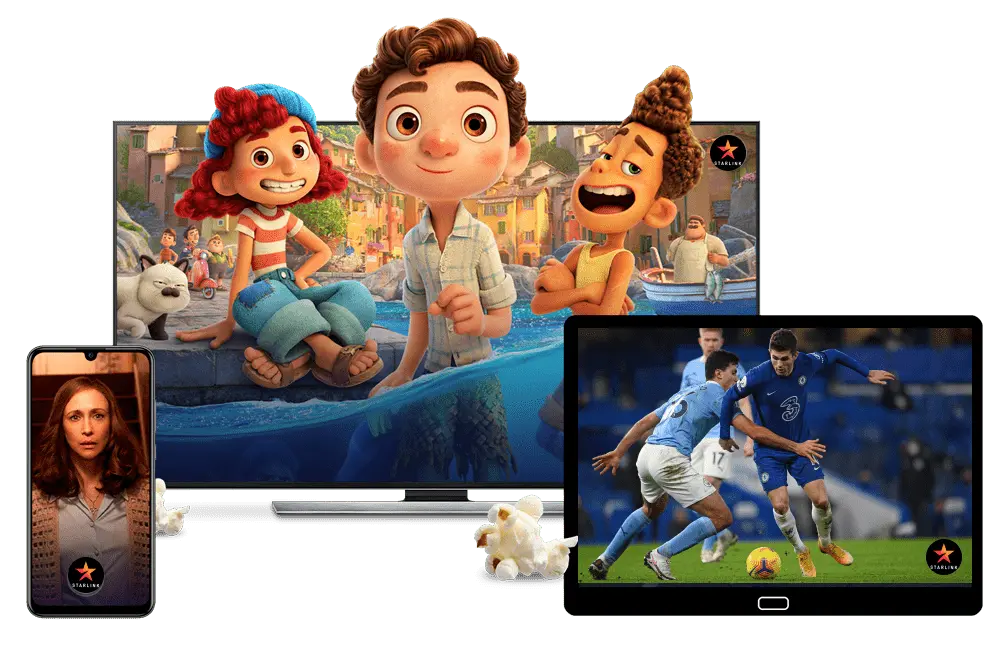
What Are IPTV Smart TV Apps?
IPTV Smart TV apps are applications designed to stream IPTV channels on Smart Televisions. These apps work by connecting to an IPTV service using:
M3U playlists
Xtream Codes login
Portal URLs
They then display live channels, on-demand content, and EPG guides directly on your TV.
IPTV apps turn your Smart TV into a full streaming platform without cable or satellite subscriptions.
Why Smart TV Apps Are Perfect for IPTV in Australia
1. No Extra Devices
Smart TVs can run IPTV apps directly, eliminating the need for:
Android TV boxes
Firestick
Set-top boxes
2. Bigger Screen Experience
Watch live TV, sports, and series on your main TV instead of smaller screens.
3. Affordable
No annual contracts or expensive hardware required.
4. Easy Updates
Apps update automatically through the Smart TV app store.
For best IPTV performance on Smart TVs, many Australians choose services like
👉 https://iptvaus.com/
Best IPTV Apps for Smart TVs in Australia
Smart TV support varies by brand — but the top IPTV apps that work across most platforms include:
IPTV Smarters / IPTV Smarters Pro
IPTV Smarters is one of the most popular IPTV players worldwide.
Features:
Clean and user-friendly interface
Live TV + VOD support
EPG (electronic program guide)
Multi-screen watching
IPTV Smarters is available for:
Android TV
Android boxes
Some Smart TVs (Download via sideloading if not in store)
TiviMate
TiviMate is a feature-rich IPTV app with powerful playlist support.
Features:
Beautiful TV guide
Favorites list
Series categorization
Multiple playlist support
Note: TiviMate is mainly for Android TV platforms. Users often install it on Smart TVs using sideload methods or Android TV boxes.
Smart IPTV
Smart IPTV is widely used on many Smart TV brands like Samsung and LG.
Features:
Supports M3U playlists
Simple interface
Channel sorting
Light app footprint
Smart IPTV often requires a small one-time activation charge — but it’s stable and easy to use.
XCIPTV
XCIPTV is a powerful and flexible IPTV app.
Features:
Modern UI
EPG support
Multi-screen
Catch-up support on some services
Compatible with many Android platforms — including Android TV and Smart TVs with sideloaded support.
OTT Navigator
An advanced IPTV player with deep customization tools:
Features:
Personal playlists
Search & filtering
Favorites & categories
Powerful program guide
Note: OTT Navigator is more advanced for users who want detail and control.
Compatibility of IPTV Apps with Popular Smart TV Brands
Each Smart TV brand supports different apps, so knowing compatibility is crucial.
Samsung Smart TVs
Samsung Smart TVs run Tizen OS, and support:
Smart IPTV
Other sideloaded IPTV apps
Samsung usually does not have IPTV Smarters in its app store, but many IPTV players can be installed via sideloading or external USB installation.
LG Smart TVs
LG Smart TVs run WebOS — IPTV support varies.
Supported apps:
Smart IPTV
WebOS-friendly IPTV players
LG often lets users install through the built-in app store or USB installation.
Android TV (Sony, TCL, Hisense)
Android TV is the most compatible TV OS for IPTV.
Supported apps:
IPTV Smarters
TiviMate
XCIPTV
OTT Navigator
Android TV makes setup easy through Google Play Store installation.
Google TV
Google TV shares app support with Android TV, making it very IPTV friendly.
Apps available:
IPTV Smarters
TiviMate
XCIPTV
OTT Navigator
Google TV users enjoy a smooth IPTV experience with high app compatibility.
How to Install IPTV Apps on Your Smart TV in Australia
Here’s how to install IPTV apps depending on your Smart TV type.
Android TV / Google TV
Open Google Play Store
Search for the IPTV app
Install the app
Open app and enter IPTV credentials
Load your channel playlist from providers like https://iptvaus.com/
Samsung Smart TV (Tizen OS)
Use Smart IPTV (or similar supported app)
Install from the app store or sideload if required
Enter your IPTV playlist or login
Enjoy channels
Note: Some Samsung models may require USB installation.
LG Smart TV (WebOS)
Use WebOS-compatible IPTV apps
Install from LG Content Store
Enter playlist or login info
Channels should appear instantly
IPTV App Setup: Step-by-Step Guide
No matter what app you choose, the setup steps are similar:
Step 1: Get IPTV Subscription
Choose a high-quality IPTV Australia service with sports, movies, and live TV — like
👉 https://iptvaus.com/
Step 2: Install Favorite IPTV App
Use your Smart TV app store or sideload the app.
Step 3: Add Playlist / Login
Enter your subscription’s:
M3U playlist
Username & password (Xtream Codes)
EPG link
Step 4: Load Channels & Guide
Your channel list and guide now display in the app.
Step 5: Start Watching
Popular IPTV App Features in 2026
IPTV apps in 2026 include more advanced features:
✔ Multi-screen
✔ HD & Full HD support
✔ Dynamic EPG guides
✔ Integrated catch-up
✔ Favorites
✔ Series tracking
✔ Search & filter tools
These make watching IPTV easier and more enjoyable.
Best Smart TV Apps for Sports Streaming
Sports fans in Australia want apps that handle live streams reliably.
Recommended:
✔ TiviMate (best guide UI)
✔ IPTV Smarters Pro
✔ XCIPTV
✔ OTT Navigator
When paired with an IPTV service like
👉 https://iptvaus.com/
these apps deliver excellent sports performance.
Troubleshooting Common IPTV Smart TV App Issues
Here are common problems and fixes:
Buffering
✔ Use fast internet (10–20 Mbps)
✔ Use Ethernet instead of Wi-Fi
✔ Restart your TV / router
App Crashes
✔ Update to latest version
✔ Clear app cache
✔ Reinstall the app
Channels Not Loading
✔ Check IPTV playlist
✔ Refresh EPG
✔ Contact IPTV provider support
Reliable services like https://iptvaus.com/ provide helpful support when needed.
Internet Requirements for IPTV Smart TV Apps in Australia
For smooth IPTV streaming:
SD quality → 5 Mbps
HD quality → 10 Mbps
Full HD / 4K → 20 Mbps+
Australia’s NBN network supports these speeds well, especially when using optimized IPTV services such as https://iptvaus.com/.
IPTV Australia Smart TV Apps for Families
IPTV apps are perfect for family entertainment:
✔ Kids channels
✔ Movies & series
✔ Educational channels
✔ Multi-device access
Families can easily switch profiles and content using Smart TV app features.
IPTV Apps for International Content
Many IPTV apps support multilingual and international channels, allowing Australians to watch:
UK TV
European channels
Middle Eastern TV
Asian networks
This is a big advantage for multicultural households.
IPTV Smart TV Apps and Parental Controls
Parent control options vary by app:
Block adult channels
Restrict content by age
Password-protect certain channels
These features make IPTV apps good for households with kids.
Choosing the Right IPTV Smart TV App
Here’s a checklist:
✔ Works with your TV brand
✔ Supports EPG guide
✔ Fast channel switching
✔ Catch-up and VOD support
✔ Simple interface
✔ Update support
Pair your chosen app with a reliable IPTV Australia provider like
👉 https://iptvaus.com/
for a complete entertainment experience.
IPTV Australia Smart TV Apps and On-Demand Content
Many IPTV apps support:
✔ Movies
✔ Series
✔ VOD libraries
✔ Replays
This turns your Smart TV into a full entertainment platform beyond live TV.

Final Thoughts on IPTV Australia Smart TV Apps
Choosing the right IPTV app is essential for a strong streaming setup. Whether you want live sports, news, movies, or international content, strong apps like IPTV Smarters, TiviMate, and XCIPTV can turn your Smart TV into a complete entertainment system.
For the best IPTV experience in Australia — with stable streams, wide channel lists, and multi-device support — many users choose trusted services such as
👉 https://iptvaus.com/
paired with compatible Smart TV IPTV apps.